
Declare Meet Attendance
How to Declare Meet Attendance
In order to determine Meet Entries (and relay teams) our coaches must know whether or not your swimmer will be attending each meet.
Here's how:
- SIGN IN to surreywood.swimtopia.com/
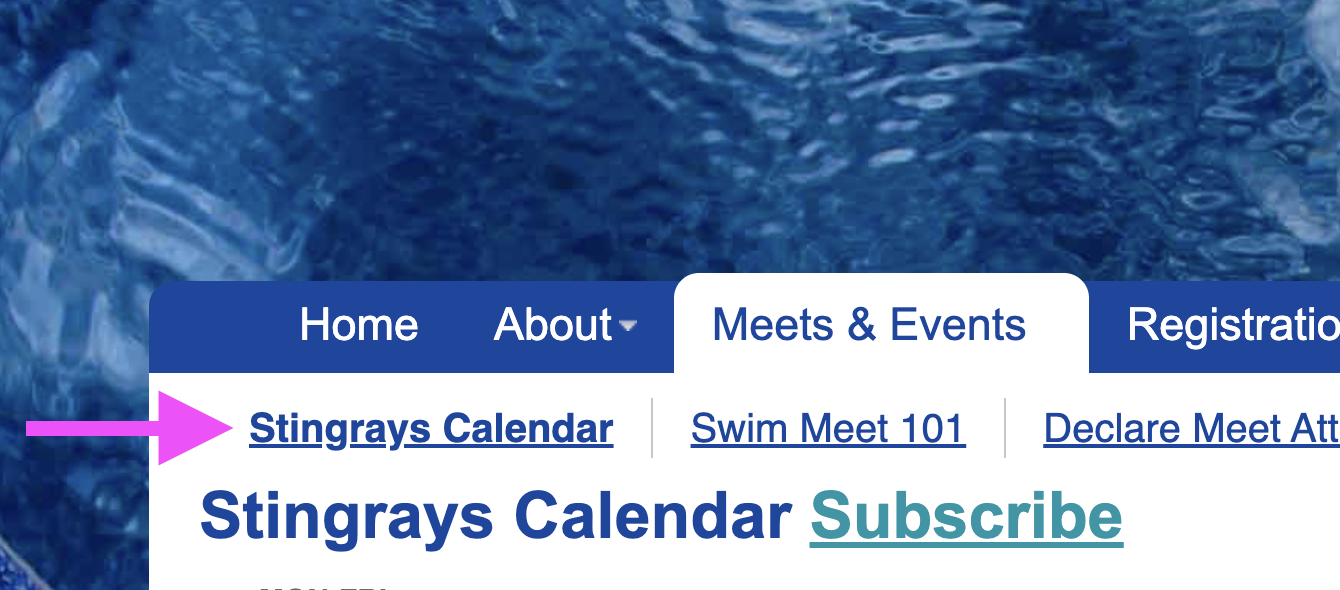
(Note If you are not signed in, you will not see the green buttons) - Click on Stingrays Calendar (Under Meets & Events Menu)
(Note: NOT the "Meets and Event" link as this is a simple list)
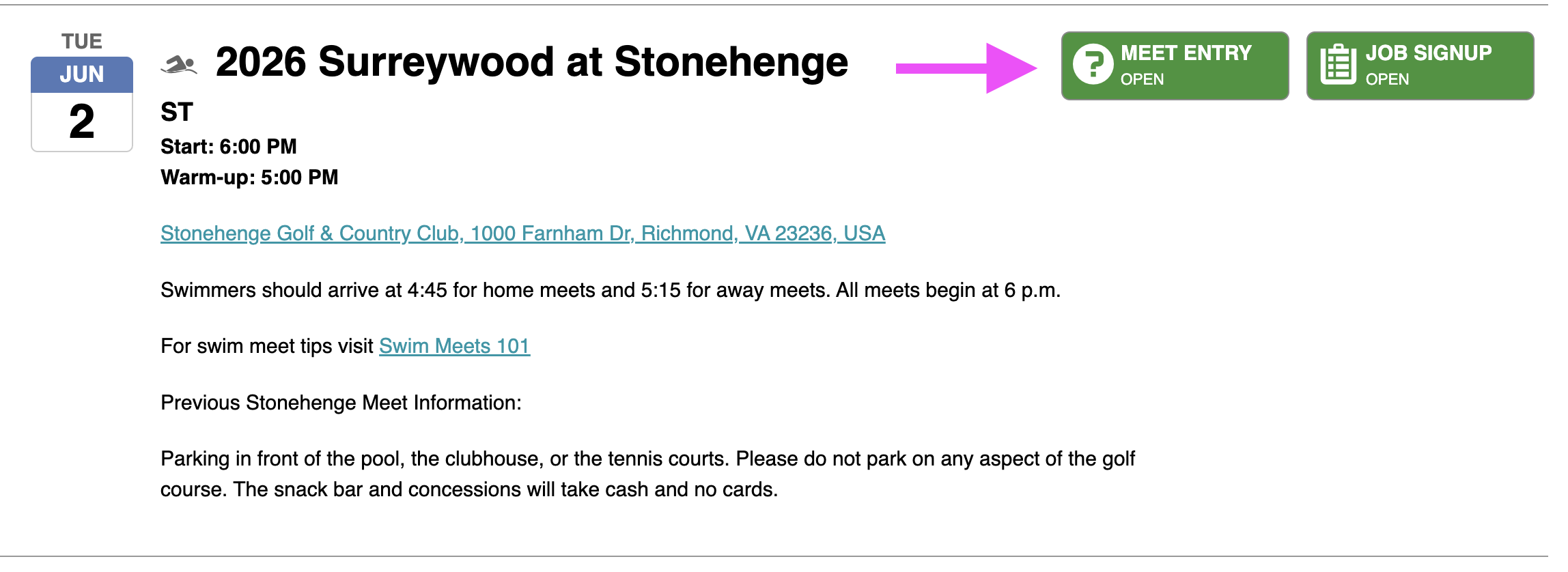
- Scroll down to each meet and click on MEET ENTRY (green box)
- Indicate whether your swimmer will be Attending or Not Attending
- Indicate Relay Availability
If anything should change, you can edit your meet entry at any time at least 48 hours prior to a meet. With any unanticipated attendance problems, e.g. illness, please inform your child's coach ASAP, especially if your child is on a relay.
How to Volunteer
Volunteering for parent jobs is found next to the MEET ENTRY box. Please sign up for your volunteer shifts this way as well.
Screen shot of CALENDAR LINK :
Screen shot of SCHEDULE page (non-functioning picture):
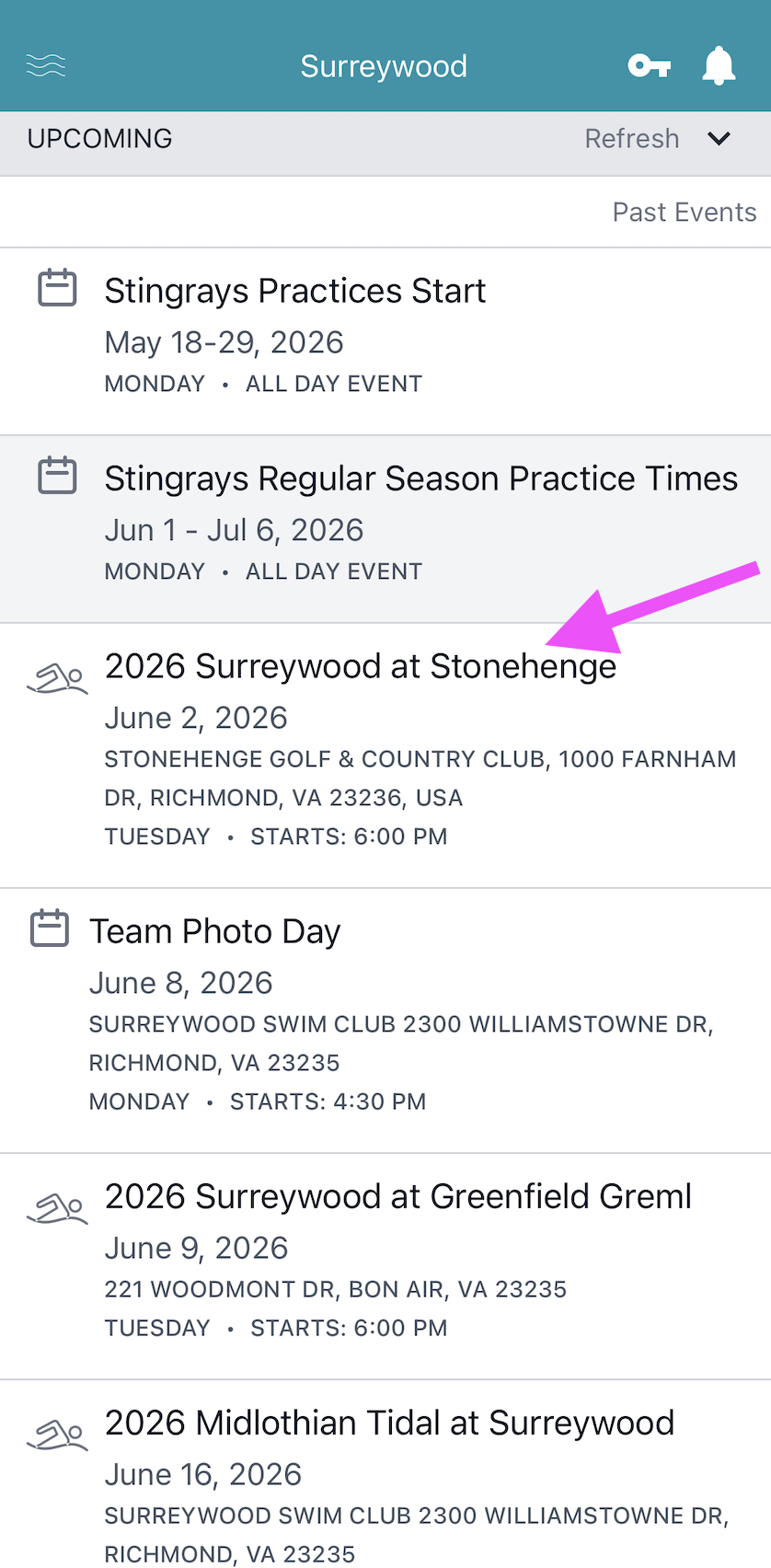
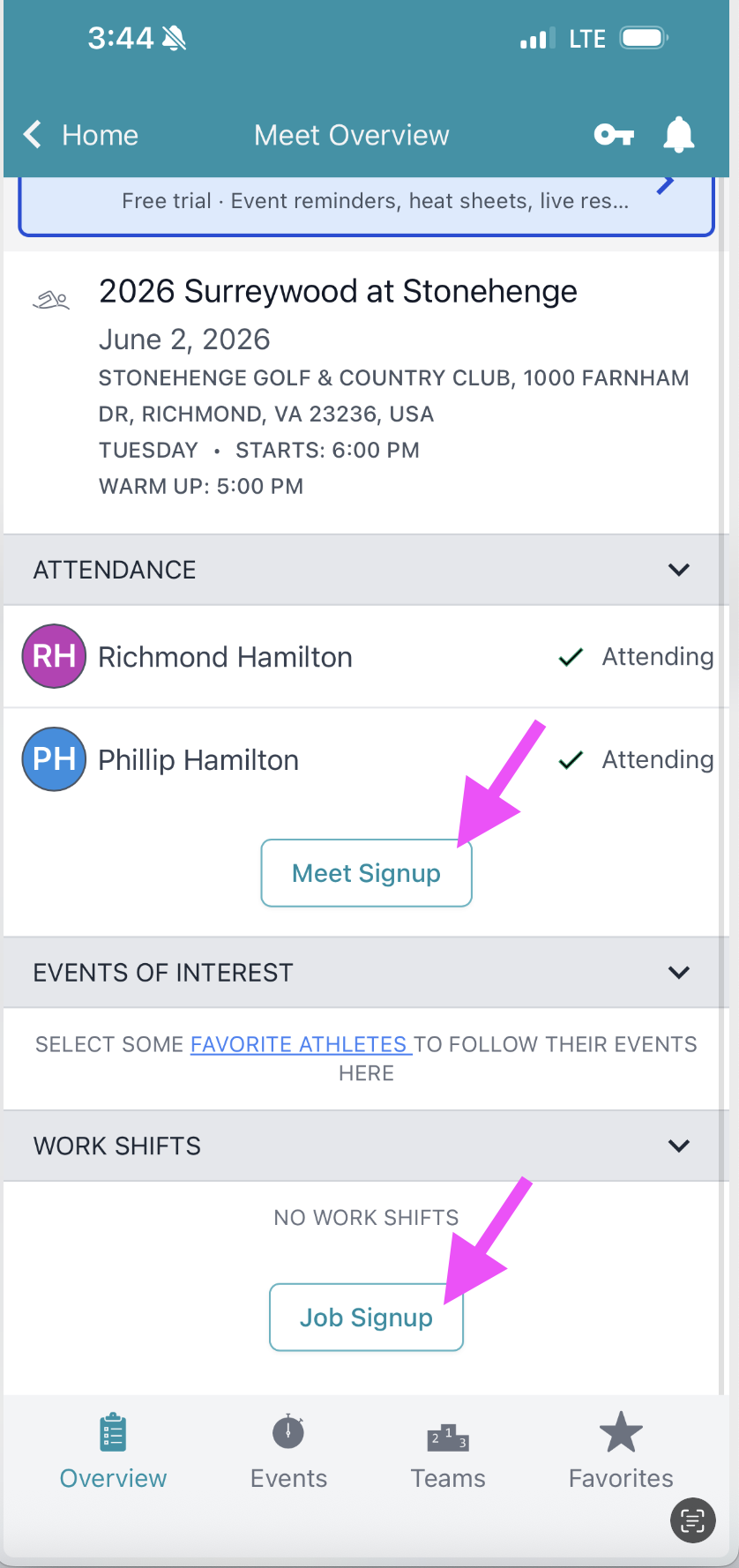
How to Declare Meet Attendance in Swimtopia App
- From Home Menu > Click the Meet
- From Meet Menu > Cilck Meet Signup
- From Meet Menu > Click Job Signup
 |
|
Text Area
Simple formatted text